Someone emails you about your post. Not "great article" — an actual question about the third paragraph. You open your analytics, half-expecting a spike from a newsletter. Nothing. Just the usual trickle. And then it hits you: they found that post through a search, not through your homepage. Which means Google understood what the page was about well enough to surface it for the exact phrasing they typed.
That's the quiet work schema markup does for bloggers. Not dramatic, not viral, just consistent. It hands search engines a structured summary of your content so they don't have to guess. And for a blog with hundreds of posts, guessing is exactly what you want to avoid.
Here's the thing: most bloggers either skip schema entirely or bolt it on without checking if it's even valid. I've been on both sides of that fence. Let me walk you through the basics — what matters, what doesn't, and the specific mistakes that cost me months of confusion.
Key Takeaways
- Schema markup is structured data added to your HTML that describes your content to search engines in a language they parse reliably.
- For blogs, the three types you'll actually use are BlogPosting, Article, and FAQPage.
- JSON-LD is the format Google recommends — it lives in a script tag and doesn't touch your visible content.
- Yoast and Rank Math generate it automatically, but the defaults are sometimes incomplete and worth auditing.
- A rich result isn't guaranteed just because your schema is valid. Relevance and content quality still govern everything.
- Validate before you publish. The Rich Results Test takes ninety seconds and saves a lot of silent failure.
What schema markup actually is (and why bloggers keep getting it wrong)
Schema markup is a small block of code that labels the parts of your page. Your headline, your author, your publish date, your featured image — each one gets a tag that a search crawler can read without ambiguity.
The analogy I keep coming back to: imagine you run a physical archive. Every folder has a label on the spine. Without labels, a researcher has to open every folder to find what they need. With labels, they walk straight to the shelf. Your blog posts are folders. Schema is the label.
Which brings up an obvious problem. If schema is just "labels," why do so many blogs have none?
Why most blogs skip it
Because nothing visibly breaks when you don't use it. Your post still loads. It still ranks for something. The absence is invisible.
I ignored schema on my first blog for close to two years. I told myself it was a "technical SEO" thing and technical SEO felt like someone else's job. When I finally added it properly, I didn't see a jump in traffic overnight — that's not how this works — but my click-through rate on existing impressions improved. Same rankings, more clicks. The reason is simple: Google had author names and dates to display next to my titles, and people click on results that look attributed.
That's the actual mechanism. Schema doesn't make you rank higher. It makes your existing ranking look more trustworthy in the result page, which is a different lever entirely.
What schema cannot do
- It won't rescue thin content. If a post doesn't answer anything, labeling it perfectly changes nothing.
- It doesn't override Google's editorial decisions. You can mark up a FAQ that Google simply chooses not to show.
- It won't fix a slow site or bad internal linking.
- It isn't a ranking factor in the way people assume — it's a comprehension aid that enables eligibility for enhanced displays.
If you came here hoping schema is the shortcut, it isn't. It's the thing that stops you from leaving points on the table once your content is already good.
Which schema types bloggers actually need
There are hundreds of schema types. You need very few of them. This trips people up — they see a list of 800+ types and freeze.

For a blog, the relevant ones are narrow:
- BlogPosting — the workhorse. Use it on individual blog posts.
- Article — a broader parent type. Many themes use it by default; it works, though BlogPosting is more precise.
- Person — nested inside your post markup to describe the author. This is where most setups are incomplete.
- FAQPage — only when the page genuinely contains a question-and-answer section. Misusing this is the fastest way to get marked down.
Notice the list has four items, not three. The reason I include both BlogPosting and Article is that people argue about this endlessly online, and the honest answer is that either one is acceptable. BlogPosting is the more specific label; Article is the safer fallback if your CMS handles it more easily.
BlogPosting vs Article vs NewsArticle — does the distinction matter?
Technically yes, practically less than you'd think.
NewsArticle is intended for newsroom content with editorial standards and rapid publication cycles. If you're running a personal blog, it isn't for you. BlogPosting signals that you're publishing informal, ongoing commentary — which is what a blog is.
I once switched a client's site from BlogPosting to NewsArticle hoping for better treatment in a fast-moving niche. Nothing changed. The articles weren't news, and Google's systems aren't fooled by a label swap. We switched back.
The lesson: pick the type that honestly describes your content and stop optimizing the label.
What is Article schema?
Article schema is the structured data type that tells search engines a page contains a written piece of journalism or editorial content — a report, an analysis, a feature. It's the parent category that BlogPosting and NewsArticle both sit under.
In practice, if your CMS offers you a generic "Article" option and a specific "BlogPosting" option, and your site publishes blog posts, choose BlogPosting. It carries the same required properties and communicates more precisely what the page is. If your platform only exposes Article, don't lose sleep over it.
The properties that matter most in either case are the same set: headline, author, datePublished, dateModified, image, and publisher. Get those right and you've done the bulk of the work.
What a working schema markup example looks like
The format you'll see almost everywhere today is JSON-LD — a block of JSON placed inside a script tag. It's the format Google recommends, and it keeps your structured data separate from your visible HTML, which means one typo doesn't wreck your layout.
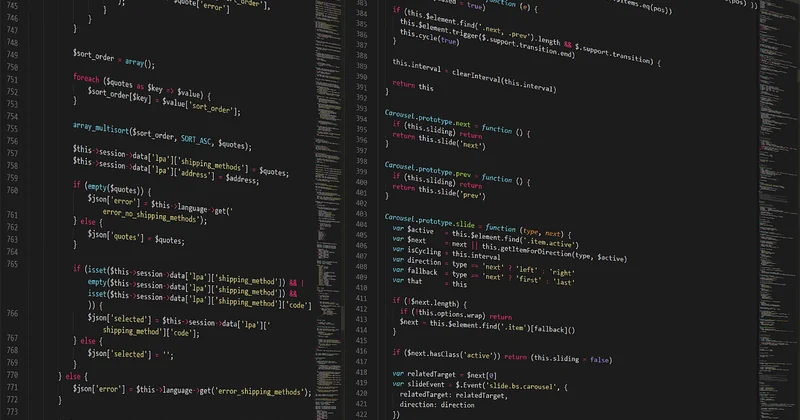
Here's a minimal, valid example for a single blog post:
<script type="application/ld+json">
{
  "@context": "https://schema.org",
  "@type": "BlogPosting",
  "headline": "Your post title here",
  "datePublished": "2026-03-14",
  "dateModified": "2026-03-14",
  "author": {
    "@type": "Person",
    "name": "Your Name"
  },
  "image": "https://yoursite.com/images/featured.jpg",
  "publisher": {
    "@type": "Organization",
    "name": "Your Blog Name"
  }
}
</script>
That's it. Six properties, and you've covered the essentials.
A mistake I made early on: I copied a schema block from a tutorial and left the example image URL in place because I didn't notice it. The page validated fine — the Rich Results Test doesn't always flag a broken image URL, it just warns. For weeks, my result had no thumbnail while competitors did, and I couldn't figure out why. Check your URLs. Every single time.
The properties people forget
Three get dropped most often:
- dateModified — if you update a post, this should change. It signals freshness.
- image — must be a real, crawlable URL. Not a relative path.
- author as a nested Person object — writing just a string name works, but the nested version with a URL to your author page ties the content to a real entity, which matters more than it used to.
There's an author schema you can also deploy site-wide, describing yourself as a Person with credentials and links. I've done this on my own site. It won't move rankings by itself, but it strengthens the association between your name and your topics, which shows up over time in how your content is surfaced.
How to add schema markup in WordPress
Good news: you almost certainly don't need to touch code.

The two plugins that handle this for the vast majority of WordPress blogs are Yoast SEO and Rank Math. Both inject JSON-LD automatically once you've filled in the fields they present.
Yoast vs Rank Math for schema
| Feature | Yoast SEO | Rank Math |
|---|---|---|
| Default schema type | Article | Article (configurable per post type) |
| Per-post schema override | Limited in free version | Available in free version |
| Author schema setup | Automatic from user profile | Automatic, with more fields |
| FAQ schema block | Requires add-on or manual JSON | Built-in block |
| Schema type variety | Focused set | Broad — 20+ types |
| Learning curve | Simpler interface | More options to sift through |
I've used both. Yoast is cleaner if you want to set it and forget it. Rank Math gives you more granular control, particularly around per-post schema types, and its free tier is genuinely generous. If I had to pick one for a blog that publishes frequently and wants flexibility, I'd lean Rank Math. That's a preference, not a verdict.
If you're not on WordPress
Ghost, Squarespace, and Blogger all handle basic schema automatically — you get BlogPosting or an equivalent without doing anything. The gap is customization: you usually can't add FAQ schema or tweak author properties without injecting code into a theme template.
On a static site or a custom build, you're writing the JSON-LD yourself and dropping it into your template's head section. Honestly, that's not harder — it's just more manual.
Do you need a schema markup generator?
For a single post, a generator can be useful. You paste in your title, author, dates, and image URL, and it hands you a JSON-LD block ready to paste.
For a blog with more than a handful of posts, generators don't scale. You'd be hand-assembling schema for every article. Use a plugin instead, or template the schema so it pulls values dynamically from your CMS fields.
Where a generator earns its place: constructing one-off schema for a landing page, an FAQ block, or a comparison page that doesn't fit your post template. That's a legitimately good use case.
Testing and validating — the step everyone skips
Valid schema and schema that produces a rich result are not the same thing. Plenty of valid markup never shows up as an enhanced result, because Google decided it wasn't warranted for that query. But invalid markup will get ignored entirely, and you'll never know unless you check.
Two tools, both free:
- Rich Results Test — tells you which rich result types your page is eligible for, and flags errors. This is the one that matters most.
- Schema Markup Validator — checks the markup against the schema.org vocabulary. Useful for spotting structural problems the Rich Results Test ignores.
Run the Rich Results Test on every new post for the first month after you set up your schema. After that, spot-check when you change themes or plugins, because those changes can silently break your markup.
The mistakes I see most: missing required properties (often image or author), dates formatted incorrectly, and types that don't match the content. If your validator shows an error, fix it before publishing. A page with broken schema is worse than a page with none, because you've spent effort and gained nothing.
Does schema markup actually improve rankings?
Not directly. This is where most beginner guides oversell it.
What schema improves is how your result appears — author attribution, dates, image thumbnails, star ratings where applicable. Those elements affect whether someone clicks, and click-through rate is a signal that matters indirectly. In my experience, the visible benefit shows up in CTR on existing impressions rather than in ranking position.
So: not a ranking factor, but a click factor. That distinction will save you from disappointment.
Where to start, honestly
Don't try to mark up your entire site in a weekend. Pick your ten most-trafficked posts. Add BlogPosting schema with accurate author, dates, and image URLs. Validate each one. Watch what changes in your search appearance over the next month.
Then extend it to the rest of your blog through your theme or plugin, so it happens automatically for new posts.
The part nobody tells you: the work is boring and the results are slow. But the alternative — leaving search engines to interpret your content with no help at all — means your best writing competes with a structural disadvantage you handed yourself. Every result where a competitor shows a thumbnail and a byline while yours shows a plain blue link is a click that went somewhere else.
You don't need to become technical to fix that. You need one plugin, one validator, and about twenty minutes per post until it's automatic.
And if you're wondering whether it's worth it for a small blog with modest traffic — that's exactly the blog that benefits most. You have nothing to lose and every fraction of a percentage point of click-through to gain.